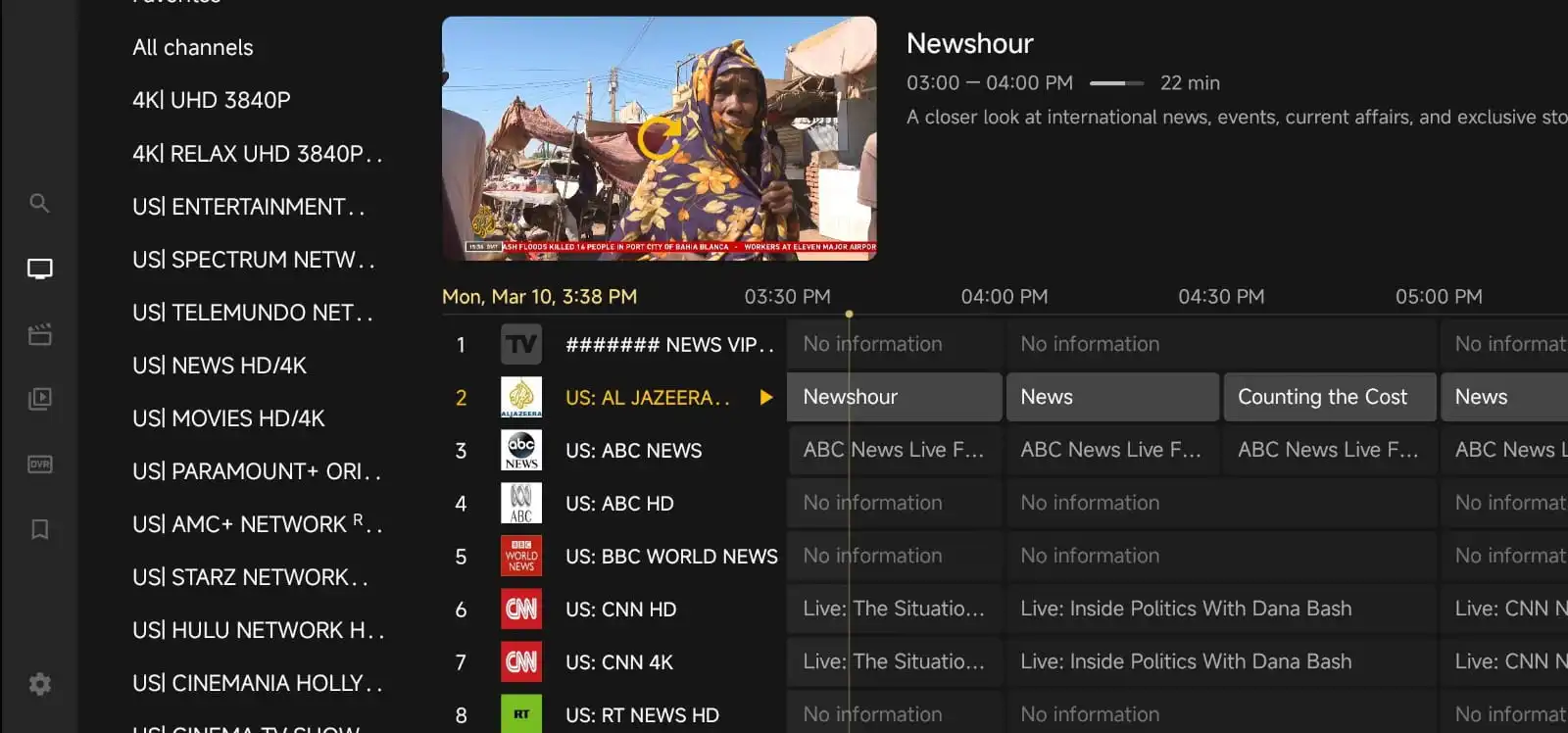

If you love live sports, choosing the best IPTV subscription for sports fans is about more than just finding a long channel list. You want smooth live streaming, the right sports coverage, easy device support, and a service that is simple to use when the game is about to start. The wrong choice can mean buffering, missing events, or spending too much time trying to get set up instead of watching the match.
This guide walks through the practical things sports fans should look for before buying IPTV. It focuses on real-world needs: channel selection, stream quality, device compatibility, setup tips, and common troubleshooting. If you are comparing options from IPTV for Lifetime, you can also review pricing and see whether the plan fits the way you watch sports.
What Sports Fans Should Look for First
Sports viewing is different from general TV watching. A movie can wait a few seconds to load, but a live game cannot. That is why the best IPTV subscription for sports fans should be judged by a few key priorities.
First, check whether the service includes the sports content you actually watch. Some people want football, basketball, baseball, hockey, or UFC. Others follow international leagues, motorsports, tennis, or cricket. A good IPTV plan should give you enough variety without forcing you to pay for channels you never use.
Second, think about stream stability. Live sports often bring more traffic than regular channels, so a provider should have a reputation for handling peak viewing times well. No service can promise perfection every minute, but the experience should feel dependable most of the time.
Third, look at whether the service supports the devices you already own. If you watch on a Fire TV Stick, Android TV box, smart TV, tablet, or phone, setup should be straightforward. A service that works across multiple devices makes it easier to watch at home or on the go.
Channel Lineup: Choose Coverage That Matches Your Teams and Leagues
Many sports fans make the mistake of focusing only on the total number of channels. A bigger list is not always better if the channels you care about are missing. Instead, look closely at the lineup and ask whether it covers the leagues and events you follow most often.
For example, some viewers want major national sports networks, while others care more about regional coverage, pay-per-view events, or international sports channels. If you follow more than one sport, it helps to choose a subscription that offers a balanced mix rather than a narrow package built around one category.
It is also worth checking whether the service organizes channels in a way that makes sense. A clean layout can save time on game day. If you need to scroll through a messy list every time you want to find a live event, the experience quickly becomes frustrating.
When possible, test the channel guide or ask support how sports categories are grouped. If you need help before buying, you can reach out through the contact page to ask about device support, sports channel availability, or setup questions.
Streaming Quality Matters More Than You Think
For sports, video quality is not just a nice extra. It affects whether you can follow the action clearly. Fast movement, scoreboards, and replays all look better when the stream is stable and sharp.
Look for a provider that offers consistent resolution options and performs well during busy viewing hours. If you watch on a large TV, low-quality streams can be hard to enjoy. If you watch on a phone or tablet, quality still matters, but smooth playback may be even more important than the highest resolution.
Another useful detail is how quickly a channel starts. Delayed loading can be annoying when a match is already underway. A reliable IPTV setup should open channels quickly and recover smoothly if your internet connection briefly dips.
Keep in mind that the best experience also depends on your home network. Even a good IPTV service can struggle if Wi-Fi is weak or your internet is overloaded. If sports are your main reason for subscribing, use a wired connection when possible or place your streaming device close to a strong router signal.
Device Compatibility: Make Sure It Works Where You Watch
The best IPTV subscription for sports fans should fit your everyday devices without requiring complicated steps. Before you buy, check whether the service supports the platform you use most often.
Common devices include:
- Amazon Fire TV and Fire Stick
- Android TV boxes and smart TVs
- iPhone and iPad
- Android phones and tablets
- Windows and Mac computers
If you watch sports in different rooms, multi-device support can be very helpful. For example, you may want to watch pre-game coverage on a tablet, then switch to the living room TV for the main event. A flexible subscription makes that easier.
Also check whether the app or setup method is simple enough for your comfort level. Some people prefer a quick login process, while others are happy to enter playlist details or use an external player. What matters most is that the setup matches your experience and your device.
Setup Tips for a Better Sports Streaming Experience
Even a strong IPTV subscription can feel frustrating if the setup is rushed. A few small steps can make sports streaming much smoother.
Start by updating your device and app before game day. Old software can cause playback issues or login problems. Then test the service ahead of time so you are not troubleshooting during kickoff or tip-off.
If your IPTV service uses an app or player, organize your favorites before the event starts. Save the channels you watch most often, and if possible, create a short list for your regular sports networks. This saves time and reduces stress when the schedule gets busy.
It also helps to reboot your streaming device and router occasionally. This is a simple fix, but it often clears minor glitches. If you notice lag, try closing other apps that may be using bandwidth in the background.
For more general guidance on getting started, you can also browse the blog for setup and streaming tips that may help you make the most of your device.
What to Check Before You Buy
Before choosing a plan, take a few minutes to compare the details that matter most to sports fans. This can save you from buying a subscription that looks good on paper but does not fit your viewing habits.
Here is a simple checklist:
- Does it include the sports channels and leagues you watch most?
- Does it work on the devices you already own?
- Is the interface easy to navigate during live events?
- Does the provider offer clear pricing and plan details?
- Is support available if you need help with setup or playback?
It is also smart to review the pricing structure before committing. Some viewers want the lowest entry cost, while others prefer a plan that feels more complete for long-term use. The right choice depends on how often you watch sports and how many devices you plan to use.
At IPTV for Lifetime, it is helpful to compare the available options carefully so you can choose a plan that matches your viewing routine rather than paying for features you will never use.
Troubleshooting Common Sports Streaming Problems
Sports fans often run into the same few issues: buffering, audio delay, channels not loading, or sudden freezing during a live event. The good news is that many of these problems have simple fixes.
If a stream buffers, first check your internet connection. Restart your router if needed and try switching from Wi-Fi to Ethernet for a more stable connection. If only one channel is affected, the issue may be temporary on the service side rather than your device.
If the picture is lagging behind the audio, close the app and reopen it. You can also try a different player if your IPTV setup supports one. Sometimes a small compatibility issue is enough to affect live playback.
If channels are missing or the guide is not updating, sign out and back in, refresh the playlist, or restart the device. Keeping your app updated also helps reduce these problems.
When you want to check whether there is a broader service issue, the server status page can be useful. It is a simple way to see whether there are known interruptions before you spend time troubleshooting your own setup.
How to Compare IPTV Plans for Sports Viewing
Not every IPTV plan is built the same. Some are better for casual viewers, while others are more suitable for people who watch live sports every week. To compare plans fairly, think about how you actually watch.
If you only follow a few big events each month, you may not need the largest plan available. If you watch multiple leagues, tournaments, and pay-per-view events, then a broader package may be more practical. The best IPTV subscription for sports fans is the one that gives you enough coverage and reliability without making the experience complicated.
Also consider whether the provider makes it easy to manage your account. Simple access to plan details, support, and device instructions can make a big difference when you are trying to get ready for a live event. A service that is organized and transparent often feels easier to trust.
Why Sports Fans Value Simplicity
When a game is starting, most people do not want to deal with long setup steps or confusing menus. That is why simplicity matters so much. A good IPTV service should help you get to the live stream quickly and stay there without interruptions.
That means clear channel organization, easy login steps, practical device support, and responsive help when needed. It also means avoiding overcomplicated promises. A trustworthy provider should explain what is included, what devices are supported, and how to get started in plain language.
If you are still comparing options, learn more about the service approach on the why choose us page. It can help you understand the kind of experience the platform is designed to provide.
Final Thoughts
Finding the best IPTV subscription for sports fans comes down to a few practical questions: Does it include the sports you want? Does it work on your devices? Is the streaming quality good enough for live games? And is setup simple enough that you can enjoy the match without stress?
If you focus on those basics, you are far more likely to choose a subscription that fits your routine. Take time to compare channel coverage, device support, pricing, and troubleshooting options before you buy. That way, when the next big game starts, you can spend your time watching instead of fixing settings.
For viewers who want a straightforward IPTV experience, IPTV for Lifetime offers a practical place to start comparing plans, learning about setup, and checking support information before making a decision.
FAQ
What makes an IPTV subscription good for sports fans?
A good sports IPTV subscription should offer the channels you follow, stable live streaming, easy device support, and a simple interface for finding games quickly.
Can I use IPTV on more than one device?
Many IPTV services support multiple device types, and some plans may allow use on more than one screen. Always check the plan details before buying.
Why does sports streaming buffer more than regular TV?
Live sports often attract more viewers, which can put extra pressure on streams. Your own internet connection, Wi-Fi strength, and device performance can also affect playback.
What should I do if a sports channel will not load?
Try restarting the app and device, checking your internet connection, refreshing the playlist, or reviewing the server status page. If the issue continues, contact support for help.
Is the cheapest IPTV plan always the best choice?
Not usually. The best plan is the one that matches your sports interests, device setup, and reliability needs. A slightly better plan can be worth it if you watch live games often.