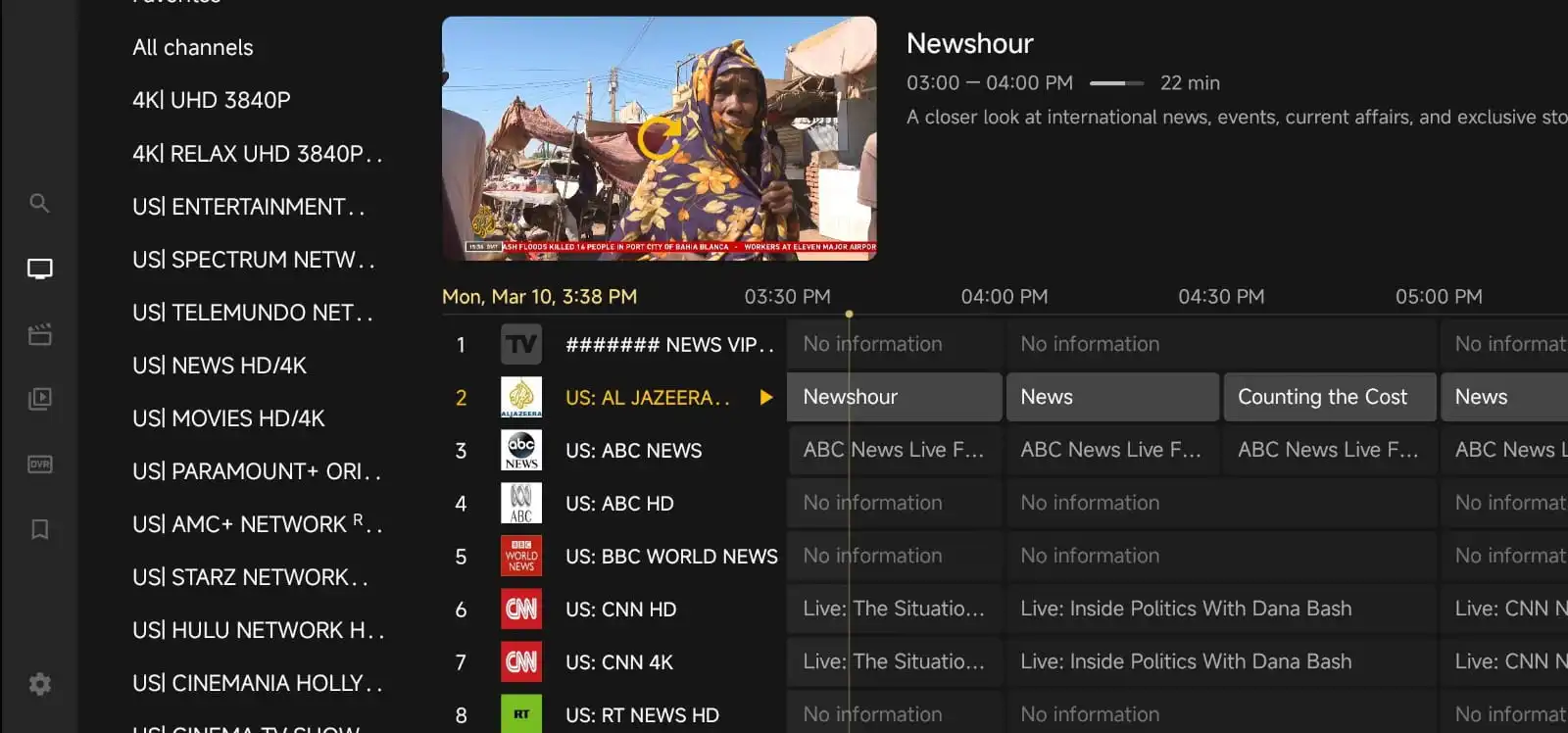

If you are searching for the best IPTV in Canada, the most useful place to start is not with flashy promises, but with the basics: channel selection, device compatibility, stream quality, setup simplicity, and support when something goes wrong. A good IPTV service should fit the way you actually watch TV at home, whether that means live sports on a Fire TV Stick, family channels on a smart TV, or catch-up viewing on a phone or tablet.
Canada has a wide range of internet setups, devices, and viewing habits, so the right IPTV choice for one household may not be the right one for another. That is why this guide focuses on practical buying advice, simple setup tips, and troubleshooting steps that real users can apply right away. If you are comparing options, it can also help to review the pricing page and the channels list before making a decision.
What Makes an IPTV Service Worth Considering in Canada?
The best IPTV experience usually comes down to a few simple things. First, the service should offer the kind of content you actually want to watch. Some viewers care most about local and international channels, while others want sports, movies, kids’ programming, or a mix of everything. A channel list that looks large is not always better if most of it is irrelevant to your household.
Second, the service should work well on the devices you already own. If you have a smart TV, Android box, Fire TV Stick, or mobile device, you want a setup that feels straightforward. A service may look attractive on paper, but if the app is confusing or unstable, the viewing experience can quickly become frustrating.
Third, look for clear support and simple account management. When people have streaming issues, they usually need answers fast. That is one reason it helps to choose a provider that explains its setup process clearly and offers useful support pages, such as Why Choose Us and Contact Us.
Check the Channel Lineup Before You Buy
Many people focus only on price, but the channel lineup is often the real deciding factor. Before subscribing, think about what you watch most often. Do you need Canadian news, US networks, sports channels, international entertainment, or language-specific content? Make a short list of your must-have categories and compare them against the provider’s channel list.
It is also worth checking whether the service organizes channels in a way that makes sense. A huge list is less useful if it is hard to browse. Good organization can save time and make daily use much easier, especially for families who share the same account.
If you are comparing options on IPTV for Lifetime, the channel list can help you see whether the lineup matches your viewing habits before you create an account.
Choose the Right Device for a Smooth Experience
Device compatibility matters more than many buyers expect. The same IPTV service can feel excellent on one device and clumsy on another. In general, users often have good results with modern streaming devices, Android-based TV boxes, and newer smart TVs. Phones and tablets are convenient for travel or personal viewing, but a TV-connected device is usually better for everyday home use.
When choosing a device, think about three things: speed, storage, and ease of use. A device with limited memory may struggle if you install too many apps. A device with an older processor may feel slow when switching channels. And a device with a complicated interface may make setup harder than it needs to be.
If you are not sure where to start, pick the device you already use most often and test the service there first. That is usually the simplest way to learn whether the app, channel loading, and playback feel comfortable for your household.
Internet Quality Matters More Than Fancy Features
Even the best IPTV service can feel unreliable if the internet connection is weak or inconsistent. In Canada, internet quality can vary by neighborhood, building, and provider. If you experience buffering, freezing, or long loading times, your connection may be the first thing to check.
For the most stable experience, use a wired Ethernet connection when possible. If Wi-Fi is your only option, place the router close to the streaming device and avoid unnecessary interference from walls, appliances, or crowded networks. Restarting the router and the streaming device can also solve temporary problems.
It is also a good idea to reduce other heavy internet use during TV time. Large downloads, game updates, and multiple simultaneous video calls can all affect playback quality. If several people share the same connection, a smoother IPTV experience may depend on timing as much as speed.
How to Set Up IPTV Without the Headache
A simple setup process is one of the best signs that a service is designed with real users in mind. Before you begin, make sure you have your login details, a compatible device, and enough time to complete the steps carefully. Rushing through setup often leads to avoidable mistakes.
Start by installing the recommended app or player for your device. Then enter your account details exactly as provided. Small typing errors can cause login failures, so double-check usernames, passwords, and any server or portal information. If the service provides setup instructions, follow them in order rather than guessing.
Once the app is installed, test a few channels from different categories. This helps you confirm that everything is working properly before you settle in for a full evening of viewing. If you want to create an account and begin testing, you can do that through Create Your Account.
Common IPTV Problems and How to Fix Them
Most IPTV issues are not mysterious. They usually come from a small number of causes, and many can be fixed without technical experience. Here are some of the most common problems and what to try first.
Buffering or freezing: Check your internet connection, restart the app, and try a wired connection if possible. If the issue only happens on one device, that device may be the problem rather than the service itself.
Channels not loading: Refresh the app, sign out and back in, and confirm that your subscription is active. Sometimes the channel list needs a moment to reload after updates.
App crashes or closes unexpectedly: Clear the app cache, update the app if an update is available, and reboot the device. Low storage space can also cause instability.
Audio but no video, or video but no audio: Try another channel first. If the issue is isolated, it may be a stream-specific problem. If it happens everywhere, check your device settings and audio output.
Login errors: Re-enter the credentials carefully and make sure you are using the right app or portal details. Copying and pasting can sometimes add hidden spaces, so manual entry may help.
If you still cannot solve the issue, a provider with responsive support is important. That is where a clear Contact Us page can save time and reduce frustration.
How to Compare IPTV Options the Smart Way
When people ask for the best IPTV in Canada, they often want a simple winner. In reality, the best choice depends on how you watch. A smart comparison should include more than price alone. Look at the channel lineup, device support, setup instructions, payment options, and how easy it is to get help.
It also helps to think about long-term convenience. A service that is slightly more expensive but easier to use may be a better value than a cheaper option that requires constant troubleshooting. Likewise, a service with a clean interface and clear instructions can save time for everyone in the household.
If you are comparing features and want to understand what the service is designed to do, the Why Choose Us page can be a helpful place to start. It should give you a better sense of whether the service matches your expectations before you commit.
Practical Buying Advice for Canadian Viewers
Before you subscribe, write down your top priorities. For example: live sports, Canadian channels, family entertainment, simple setup, or multi-device viewing. This makes it easier to avoid paying for extras you will never use.
Next, test the service on the device you use most. If you mostly watch on a TV, do not judge the experience only from a phone screen. If you travel often, mobile compatibility might matter more than a living-room setup. The best IPTV service is the one that fits your routine.
Finally, read the available information carefully. A trustworthy provider should explain what is included, how to get started, and where to find help. If you need a starting point for plans and account options, the pricing page can help you compare what is available without guessing.
Why IPTV for Lifetime Can Be a Useful Option to Explore
IPTV for Lifetime is worth considering if you want a service that focuses on practical viewing needs rather than complicated extras. For many users, the biggest benefits are straightforward setup, a broad channel selection, and easy access to information when they are comparing options. That does not mean it will be the perfect fit for everyone, but it can be a sensible place to begin your search.
As with any IPTV provider, the key is to match the service to your household. Check the channels, review the setup process, and make sure your devices are compatible. A little preparation up front can prevent most of the frustration people experience later.
FAQ
What should I look for in the best IPTV in Canada?
Focus on the channel lineup, device compatibility, stream stability, setup instructions, and support quality. Price matters too, but it should not be the only factor.
Which devices usually work well with IPTV?
Many people use smart TVs, Fire TV Stick devices, Android boxes, phones, and tablets. The best choice depends on how and where you want to watch.
Why is my IPTV buffering?
Buffering is often caused by internet issues, Wi-Fi interference, or device performance problems. Try a wired connection, restart your equipment, and close other bandwidth-heavy apps.
How do I know if a service has the channels I want?
Review the channel list before subscribing and make sure it includes the categories you watch most often. This is especially important if you want sports, local news, or international content.
What if I need help with setup?
Check the provider’s setup guidance first, then use the contact page if you still need assistance. Clear instructions and responsive support can make a big difference.